
This post contains affiliate links.
Welcome to the first post in what will be on ongoing series on Digital Home Management. As a busy homeschooling mother of a large family I am continually looking for ways to streamline our days and for tools to help in that endeavor. I’m also a technology lover and so I am always especially delighted when I can find a digital solution to a need. I am planning to to share with you many of my favorite digital resources; including devices, apps, tips, hacks, websites, educational helps, software and more.
I thought I would begin by sharing why, and how, we use Kindle Fire tablets for all 8 of our homeschooled children (ranging in age from 15-4).
This wasn’t a decision we arrived at lightly; there are definitely pros and cons to digital devices. As with so many things they can be used as tools for what is right and good, or they can become a stumbling block. The very last thing we would want to do is to put something in our children’s hands that could harm them.
I’m also 100 % in the Charlotte Mason homeschool camp and firmly believe in lots of outside time, living books and very limited screen time. In a Perfect World, the Charlotte Mason Me would decree all digital devices for my children anathema. Alas, I do not live in a Perfect World, but dwell instead in the land of Real Life. I am also dealing with my own chronic illness which really adds some logistical challenges to our homeschool days. Thus, I am instead working to harness technology while still holding to CM principles as much as possible.
After much research and prayer, we purchased 8 Fire tablets as the main Christmas gift for each child in 2014. We have prayed from the beginning – and continue to pray – that the Lord would help us to use these tools wisely in ways that would serve and glorify Him and to protect the children from any of the downsides and pitfalls. We have learned a ton along the way about how to keep the Fires child-safe, what to watch out for, what we like, what we don’t, as well as some hacks and work arounds. Overall, our experience has been good and the Fires have been vastly useful tools in many ways.
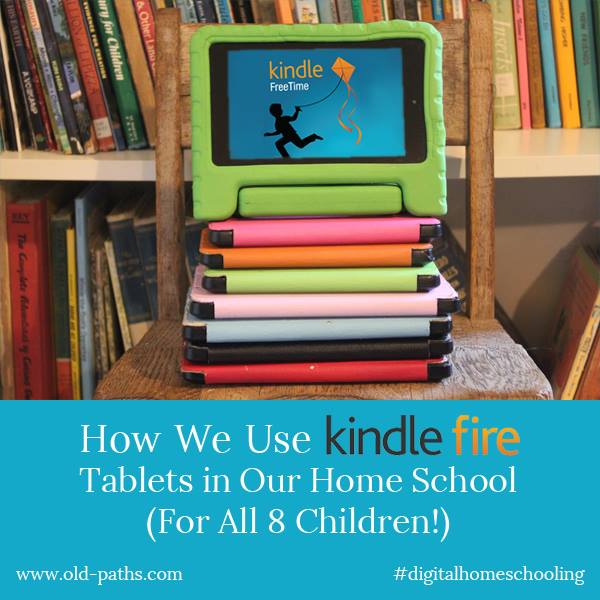
Today I will mainly be giving an over view of the Fires and plan to go into more detail with how we have things set up in future posts.
How we Use Kindle Fires
Following is a list of ways we most utilize the Fires. This isn’t a full list either! Just some of our favorite features:
For reading Kindle books. I love that I can buy one book and send it to multiple children. That is a big budget saver and convenience. My preference is for real books (and if they are vintage, hardcover editions, all the better.), but currently we have very limited space for those. My hope is to eventually have a print, audio and digital version of many of our favorites with a real family library, but for now we are mainly focusing on the digital and audio collection.
For listening to audio books. We love Audible, and you now can add books from your Audible library to your children’s profiles through the settings in the parental controls. I love that this allows ONLY the audiobooks I select and does not give access to any other part of Audible. This is still the most child safe and friendly way I have found to utilize Audible.
For digital homeschool and chore checklists. This is one of my very favorite uses of the Fires! No printing, no lost, crumpled checklists and I can easily check in and see how each child is progressing through the day with their independent work. I plan to do a detailed post on this soon too.
For educational games and apps. Although my preference would be to avoid these completely we do use these quite a bit. There are some very high quality well done apps out there and a future post will cover some of our favorites.
As digital homeschool binders. I love this aspect of the tablets and this too deserves its own post. Here are a few highlights though :
I can create a shared folder that contains all of our term memory work and each child can access it from their Fire. This is a huge time and energy saver for me. No need for printing multiple copies and inserting in multiple page protectors and binder. Just create and share.
I can also upload ebooks that come in a PDF version and share them with multiple children. In some cases, I will copy just a selection from an ebook, document or website. An example of this would be our artist study. I can copy and paste a brief bio on the artist we are currently studying for each term from Wikipedia or an ebook into a shared note. We also use this for our picture studies. I can upload a print and share it with the children and we can chat about it right there in the document.
The children also use their tablets for some writing assignments (including written narrations) as well as free writing. My eldest especially is a prolific writer and loves this feature. She is always working on a book and can share the chapters with her siblings as soon as she finishes them (and they are usually waiting in eager anticipation for the next installment). For writing assignments I can make corrections right there in the shared document for the child to see.
Limited access web browser. FreeTime was recently updated to add a child safe web browser so now I can also allow access on their tablets to the websites we will be using for school purposes.
This use of the Fires has been such a huge help to me in keeping connected with the children’s school work even on my extra low/no energy days.
As cameras. The Fires come with a camera, including a video camera, and this has been another feature that is used all.the.time. We haven’t done this yet, but this year I’m hoping to have the children take pictures to add to digital nature notebooks (though not as a replacement for paper versions.)
As MP3 players. I have a family Evernote account with one shared log in, and thankfully Evernote is supported on Fires. This is where I store our MP3 audio books (mostly downloaded from Librivox). I have a notebook in Evernote called “Audio Books”, and then create a note for each book. I just drag and drop the audio files from my laptop to that note. There are storage limits to each note, so if a book exceeds those, I just create multiple notes for that book. For example, “Our Island Story Part 1” with the first 25 chapters, then part two with 25 more etc.,. This works really well and would work the same for MP3 music files.
Kindle Free Time and Parental Controls
One of the main reasons we chose Fires over other tablets was the Kindle Free Time App which creates a locked down child friendly tablet with lots of parental controls and monitoring in place. I researched other parental control apps and Free Time really offered some of the best options. We also already used Amazon extensively so I liked that the Fires would easily lend themselves to sharing Kindle books, purchased videos, educational apps etc.
I also loved that I could control most of this from my Amazon account on my laptop and my phone. My techy side was exceptionally taken with this thought. Perhaps because it appeals to me as an INTJ who wants to rule the world from behind the scenes like Dr. Claw from Inspector Gadget, or perhaps it’s just because it is extremely handy. Hard to say which. But I digress…

Here are some features that FreeTime offers:
- The ability to set up a profile for each child. There is a limit to how may child profiles can be set up under each Amazon account so we have it set up so that two children share each profile. You can set these up based on age.
- The ability to add specific content to each profile.
- The ability to add goals and time limits.
- A child safe web browser. (Optional. You can turn this off.)
- Locked down games and apps. (No access to the web or the App store. See below for more details and some caution on this.)
- The ability to add specific books, games, apps and videos to a profile. (This means your younger children can have different content than your older ones.)
There are more details here straight from Amazon. Very important: Free Time Unlimited (Now called Amazon Kids) is a totally separate, optional feature from FreeTime itself. The difference is that FreeTime Unlimited/ Amazon Kids is a subscription that comes fully loaded with apps, books and videos pre-selected by Amazon. I don’t recommend this at ALL since much of it is, at best, unedifying pop culture twaddle, and at its worst, downright dangerous and agenda laden. I want to add only the exact content I want my children to have access to, not what Amazon deems appropriate. Amazon really pushes the Unlimited option, and the Kids Fires come with a year’s free subscription turned on. However, you can very easily unsubscribe with the flick of a switch under parental controls.
Here is where I am going to insert a big, huge caveat and warning: There are possible loopholes and back door accesses to the unfiltered internet even within Freetime. If you purchase any sort of digital device for your child that has WiFi you need to plan on keeping a consistent watchful eye, even if that device has parental controls.
Here are a few things that we have learned about keeping FreeTime safe for our children:
Free apps usually come with ads. These ads are NOT always child friendly to say the least. When we bought our Fires I thought FreeTime would filter out the ads, but it doesn’t. I now avoid free apps. I’d rather pay a few dollars and not have to worry about what sorts of ads might be popping up in front of my children.
Some apps have a web browser built into them that can give children full access to the entire, unfiltered internet. Again, this can happen even within FreeTime because the browser is within the app and so the Free Time filters are not catching it. I have been surprised at what apps have internet access. I put the Open Office app on our children’s Fires so that they could have something to use for writing and was horrified to find out that Open Office included a web browser with full internet access. Thankfully, we caught it pretty quickly and deleted the app.
Other apps might not have a full browser, but can have built in links to a store or blog etc. which can bunny trail out to other links. I have also been dismayed at finding web access deeply buried within an app even after I had originally looked through it and deemed it safe.
This happened recently with one of our very favorite apps that the whole family uses in tons of ways. I was poking around in it doing some routine patrolling and found a round about way to access the full internet. I was so glad the children hadn’t discovered it yet. (In that case we loved and used the app so much that we did a huge work around: we bought a router and my computer genius husband did some fancy programming that blocked access from that angle so we could keep using the app without worrying about unwanted internet access.)
In most cases Free Time does an amazing job of keeping the Fires child safe and blocking any outside access, but it is extremely important to be aware that there is a possibility that some times things can slip through. The best way I have found to avoid this danger is to stick with apps created especially for children. There are a couple apps that we still use that are not child specific, but for the most part I avoid those.
Amazon will send system updates to the Fires and these can result in glitches. Here is one example: Normally, access to the Amazon app store is blocked in FreeTime but after one system update the app store was open for browsing. Even though purchasing was still blocked, this was still a problem since there are some really awful apps and games out there. This hasn’t happened in quite awhile, but it’s good to be aware of the possibility, and to very routinely check your children’s Fires for any issues.
The child safe web browser is not fool proof. FreeTime now comes with an option for a child safe web browser. You can choose to allow all of Amazon’s pre-selected content or you can choose to just add your own. I recommend just adding your own, since as with FreeTime Unlimited, Amazon and I don’t always see eye to eye about what I think is appropriate for my children. I am very impressed with the browser overall and Amazon has done a very thorough job of making it as child safe as possible. They won’t even allow you to add many commerce websites for example, including blocking access to Amazon itself. Just be careful that the websites you do add are totally safe for your children. Some websites have user forums, for example, that you may not realize your child could have access to.
The web browser also has a great feature for adding specific YouTube videos so that your child can safely watch them. They are stripped of ads. Just be careful with what videos you add. I was testing this feature out and grabbed a YouTube video of the Impressionists since we are studying Claude Monet. I was a little horrified at the lack of clothing on some of the selected art prints that were included on the video, so was pretty quick in deleting.
It is SO crucially important to talk to your children ahead of time and to ask them to alert you if they come across anything that does not look right. Enlist their help in protecting them, make it a team effort to keep the tablets safe for their use. We are ultimately responsible to guard the young lives in our care, but we also need to equip and train them in the proper use of these tools, while still keeping a diligent watchful eye.
Plan on taking the time to monitor the use of your children’s tablets, to adjust settings, enter passwords etc. Look over their tablets frequently.

The price was reasonable when we purchased ours at the end of 2014 and has dropped quite a bit more since then. It can still 
- I highly recommend you pay to have the special offers removed which adds another $15.00 to the cost.
- An upgrade since we purchased our first Fires in 2014, is the ability to add more memory via an SD slot. I also highly recommend that you take advantage of this. Our number one frustration with our original Fires was how quickly they filled up and ran out of storage space. There are different options for memory cards and I notice that prices fluctuate, but as of today the lowest price option is 16 GB for $7.99. This will give you lots of memory to work with and you can always upgrade to more storage later. (Or you can start with more from the get go – there are options for 32 GB and 64 GB). This is also something you could skip altogether to start with and can just purchase later if you find you need more space.

- I also suggest buying a good case. There are quite a few options out there, just be sure to choose one which fits the current Fire model. Case prices will run from around $13.00 to $20.00. We bought Fintie Cases for 7 of the children and have been very happy with them. For our youngest we bought a MoKo case, and have been pleased with that as well. I love that the cases come in a variety of colors since I color code my children’s things whenever possible.
- We did also purchase a warranty on each tablet. For the most part the Fires have held up well (though I’ve noticed that the quality has gone down from the originals), but there have been several times where one has met a sad and early end and I have been very glad we had the warranty in place. Currently a one year warranty is $11.99 and a two year warranty is $17.99 All totaled and purchased individually this brings the cost to roughly $100.00, depending on what options you choose.
- The Amazon Fire Kids Tablet is $99.99 and includes all of the above: A Fire tablet, Special Offers already removed, 16 GB of storage, rather than 8 (internal, rather than a card as above, but still with an SD slot and the option to add more) a case and a two year warranty. One thing to be aware of is that it does also comes with a free one year subscription to Kindle FreeTime Unlimited. I would highly recommend turning this OFF and only adding exactly the content you choose for your children. Watch for sales. I’ve seen this go on sale for $79.99 twice recently.
All in all we have been very happy with the Fires as digital tools in our household. We have found them to be well worth every penny in spite of some hiccups and drawbacks. Over the next few weeks I plan to be sharing more details on how ours are set up, what apps we recommend and what hacks we have done. If your children use Kindle Fires I’d love to hear from you in the comments!



This was really helpful, thank you! I can’t wait for the detailed posts mentioned 🙂
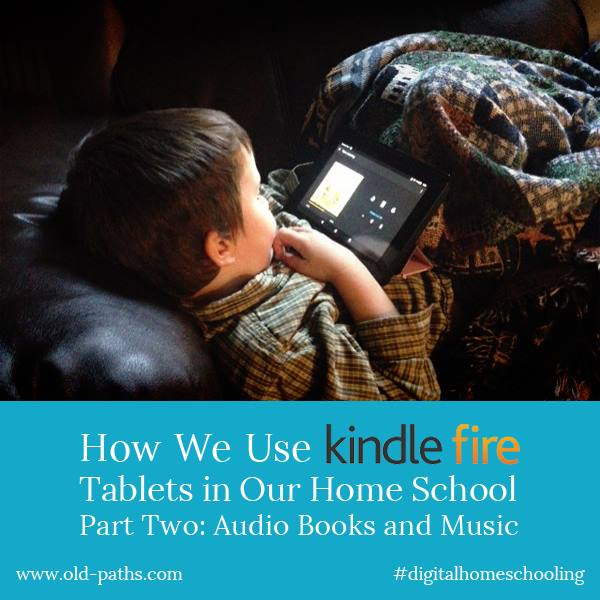
Here’s part two, finally! https://2026.old-paths.com/how-we-use-kindle-fires-in-our-home-school-part-two-audio-books-and-music/
I’m so glad you did this post! I was on the fence about Kindle Fires for Christmas for my 3, but I’m also a Charlotte Mason girl. Great advice on using them for school too!!!
I’m glad it was helpful! I wanted to let you know that I’m not recommending the Fires for children anymore, since Amazon has made some big changes which have them not working very well unless you subscribe to FreeTime Unlimited. That has a ton of content I don’t want my children to have, so we’ve been limping along with the Fires for now, but planning to upgrade to Ipad Minis one at a time as we are able. (The refurbished ones aren’t terribly much more than the Fires are by the time you order extra memory, pay to have the ads removed etc.)
I just did a factory reset on one of our Fires and will see if I can get it set up; will you do an update with any changes in how you’ve got them set up?
There’s actually not too much that is different, but here is the main issue I found to be aware of: I had been locking down all the extras (including books, apps, videos and camera) in the parental controls on the parent’s profile and finally figured out that with the recent update that was also blocking the same things in the children’s profile. So be sure that in the parent’s profile Books, Videos, Camera, and Apps are all unblocked or they won’t show up in the child’s profile. I still do have Amazon stores etc. blocked in the parent’s profile. The only time my children go on the parent’s profile is when I put in the PIN for them to turn on an Audible audio book and then we lock the screen again right away, so this still keeps things pretty locked down and safe.
Hi again! I double checked and one of my children’s Fires is working normally again even with the books, videos, apps, etc. blocked in the parent’s profile, yet to get other children’s to work properly those had to be unblocked in the parent’s profile. I’m guessing it must have to do with Amazon sending out updates that maybe haven’t been sent to all Fires yet. So I would just try it both ways. Basically, if the apps, books, videos etc. are locked down in the parent’s profile and not showing in the children’s profile, then try unblocking them in the parent’s profile.
Update: The Fires are working very well again! A couple months ago Amazon sent out an update that had Kindle Freetime barely useable at all for weeks. However, just the other day I did a factory reset on a few of the children’s Fires and they are working great again! So I am back to recommending them again as one of the best options for tablets for children.
We have 8 children who received fire tablets from a relative for Christmas. Thank you for sharing all of this information, it has been so helpful!!
Hello- you mentioned in your post that you are able to control time limits etc, through your laptop (pc) – I found your blog via my google search because I have looked far and wide on amazon to find where on the child profile I can adjust allowed time limits from my laptop vs. the actual device. Do you mind sharing how/where you find those controls?
So sorry for the long delay in answering! Try this link: http://www.amazon.com/parentdashboard/
Could you please tell me more about how you are able to share PDFs? We have one Fire, currently, and each of the four children have a child profile on the device. I’d like to be able to share PDFs with the eldest, but according to Amazon, personal documents cannot be shared: “Important: Personal documents, music, audiobooks, Prime Video rentals, and videos Included with Prime can’t be added to a profile.”
We are mostly using it for reading, but I’m also curious about how you are sharing files and managing checklists. I could see this being very useful to our homeschool!
On each of your children’s accounts, do you have your parental profile set up and then one child through Amazon Family to manage their time and access to apps? I have a lot to learn. My husband and I have everything in the Google family, so I haven’t spent much time trying to figure out the Amazon offerings because the two don’t seem to play nicely together.
Thank you!
Can you tell me more about how you set up the document sharing you describe? Is it through the “docs” option? I haven’t found a way to share a PDF, for example, through FreeTime, but only through having parental controls on my account on all devices. I’ve found your tips and tricks to be very helpful. Thanks for sharing!
Hi! I’m so sorry it’s taken so long for me to reply! The program we were using was called Quip, but they no longer make that available for Fires. However, Evernote works very well as a second best option. We have an account that I share with all the kids and I can put just about anything in there I want them to have access too. I even used it for MP3 Audio books. The kids can even leave voice recordings of narrations in Evernote. Tons of ways to utilize it. It doesn’t work as well as Quip does in the document sharing aspect, but it can still do the job.